Apple Environmental Dashboard
A supplier portal that made Apple’s environmental standards clear, consistent, and easy to act on.
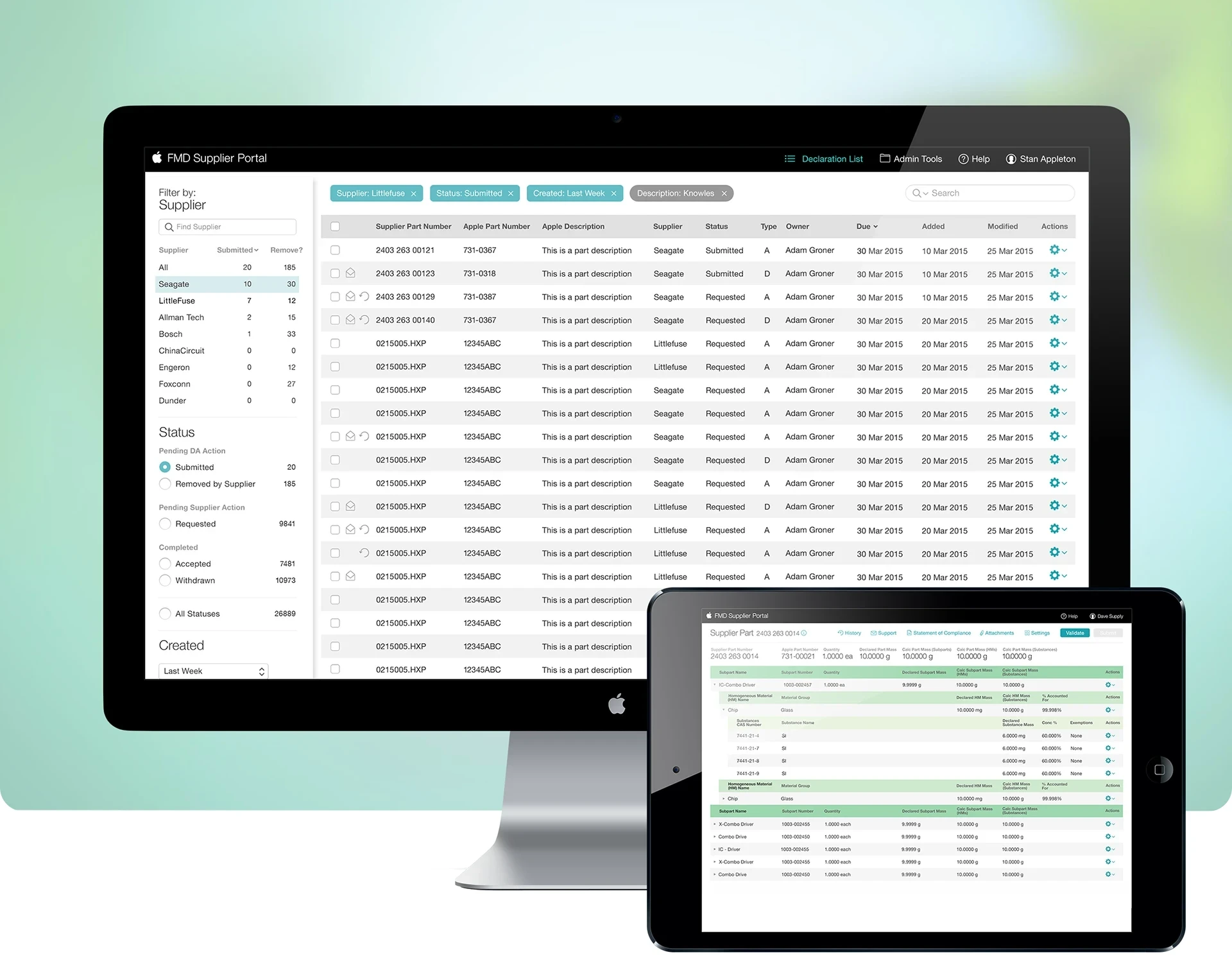
A new standard for supplier visibility.
As lead visual designer, I created the visual language for the FMD Supplier Portal, the tool suppliers use to meet Apple’s Environmental Guidelines, from color and typography to the overall look and feel, grounded in Apple’s Environmental Initiative.
MY ROLE
Lead Visual Designer
TEAM
Product Manager Lead UX Designer Lead Visual Designer User Researcher
TIMELINE
3 Months
SKILLS
Visual design · Design systems · Enterprise UX
TOOLS



The Challenge
Making dense compliance data clear for every supplier
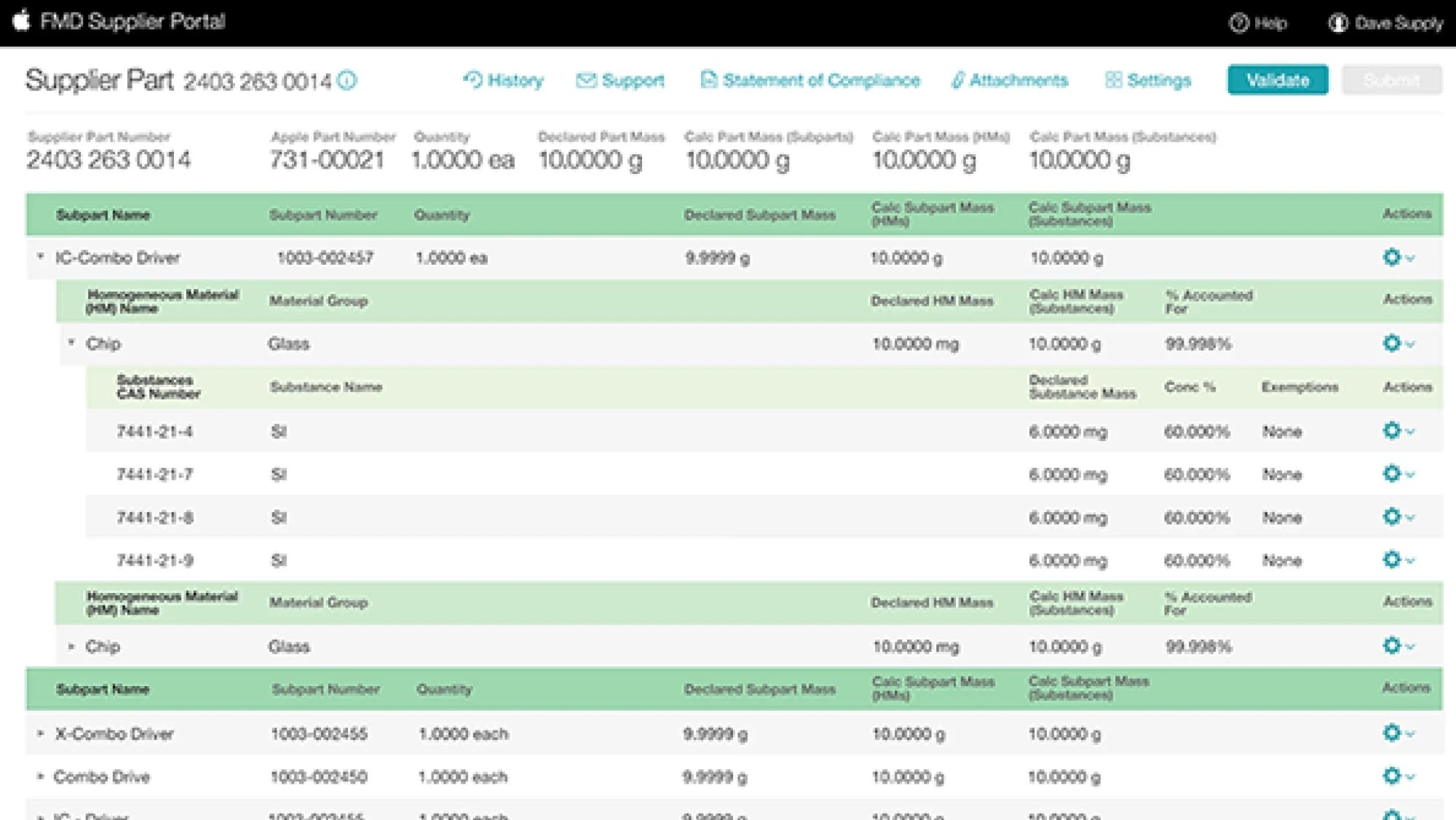
Full Material Disclosure asks suppliers to declare every part down to its individual substances, each with its own CAS number and mass. The data is dense, technical, and unforgiving of errors. The challenge was a visual system that made that depth readable and trustworthy.
Goals
Help suppliers worldwide declare every part accurately, down to individual substances
Give Apple teams one consistent way to review declarations
Carry Apple’s environmental commitment into an enterprise tool
THE SOLUTION
Building a visual language for responsibility
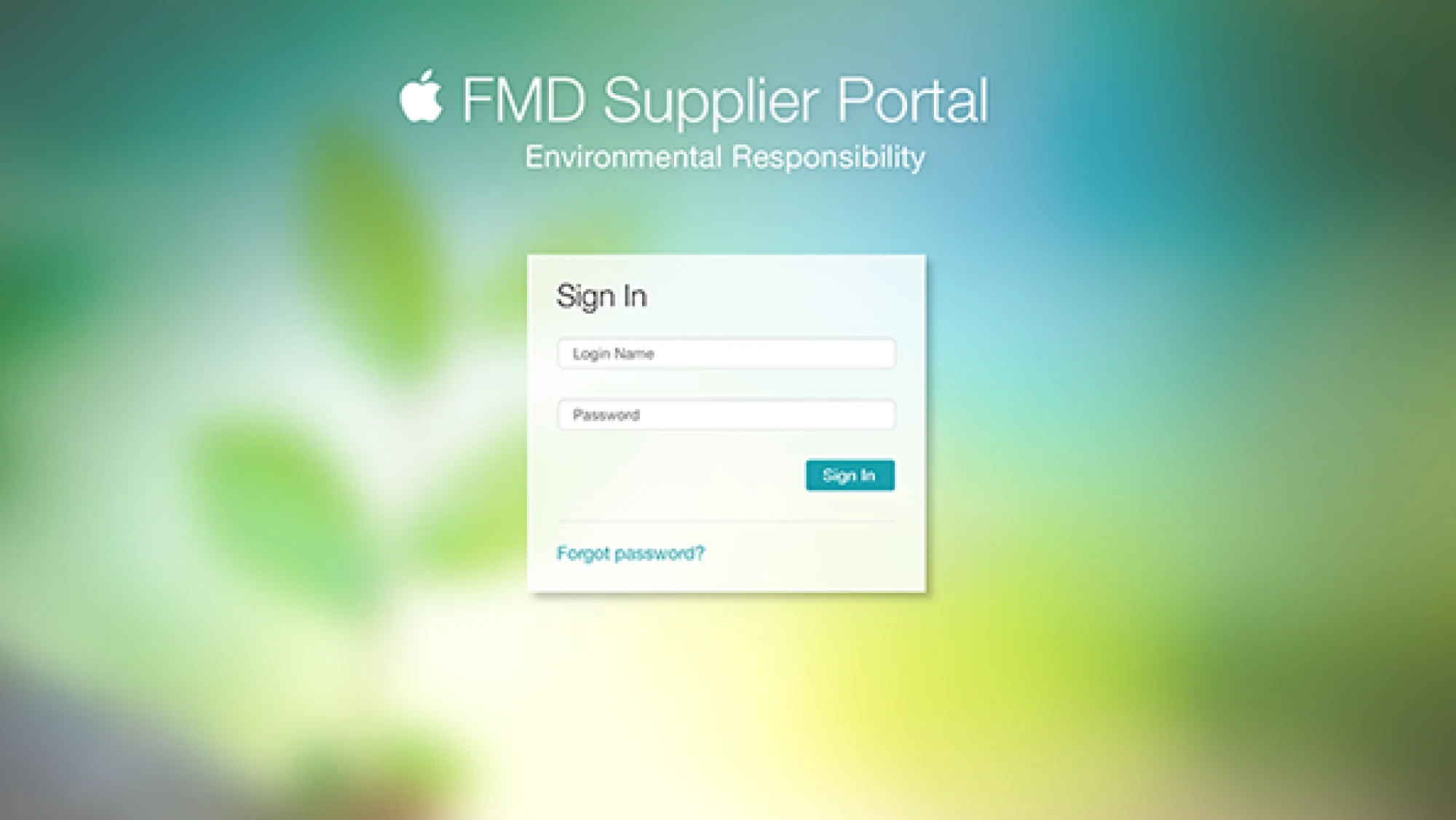
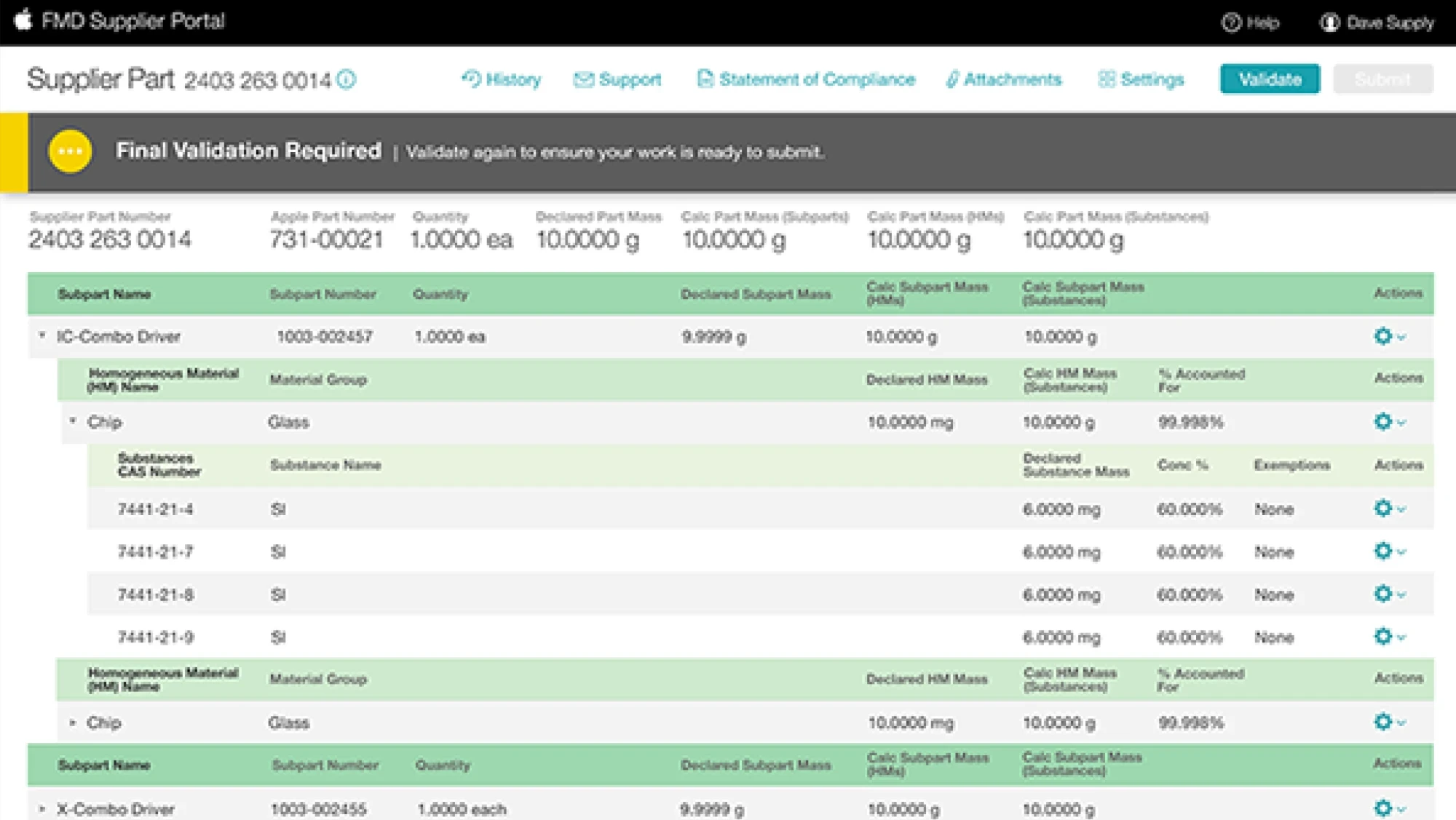
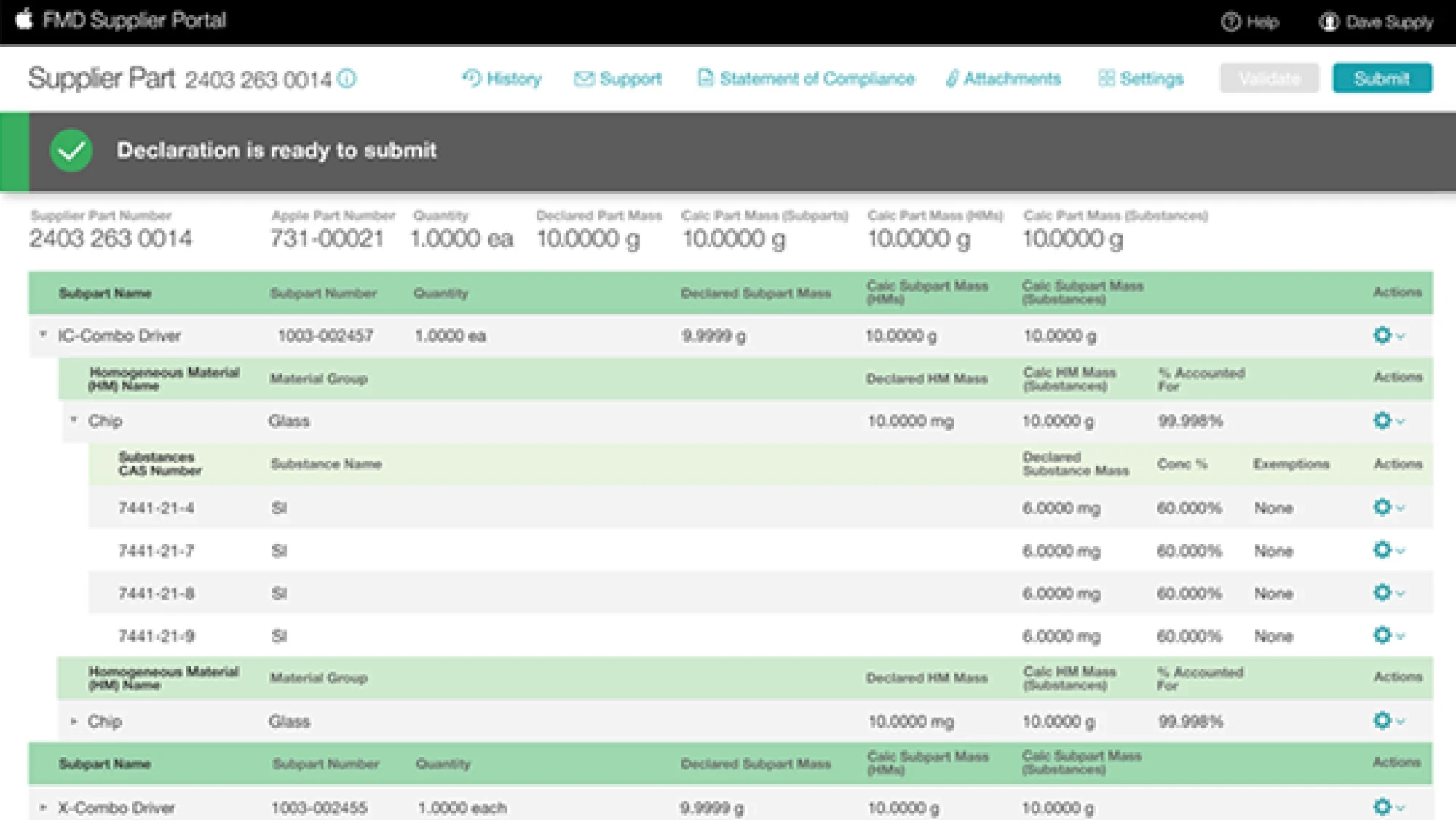
I grounded the visual language in Apple’s Environmental Initiative: a calm, nature-inspired sign-in set the tone, and a restrained palette carried through the portal’s data-rich screens, from the declaration inbox to part details and validation.


KEY DECISIONS
Three decisions that made dense data readable
Suppliers had to get technical declarations exactly right. These choices made the depth readable without hiding any of it.
Reserve color for meaning
A restrained teal and green palette carried Apple’s environmental tone and was kept for status and hierarchy, so color always told suppliers something.
Nest the data the way parts are built
The part view nests subparts, materials, and substances, so suppliers can work down to a single CAS number without losing their place.
Guide suppliers from error to ready
Validation states show what’s wrong and what to fix, moving suppliers from an error to a declaration that is ready to submit.
Outcome & Impact
An industry first for supply chain transparency
The portal launched as an industry first and was well received by suppliers and business partners alike. It gave Apple one consistent way to collect and review material disclosures across its supply chain, and helped establish Apple as a pioneer in holding suppliers and manufacturers to its environmental commitments.
Reflections
Clarity is a form of responsibility
In enterprise tools, visual design is not decoration. When the data is this dense, hierarchy, color, and clear system feedback decide whether people can complete the work at all. Grounding the portal in Apple’s environmental story also connected each declaration to the larger purpose behind it.